Before choosing a region
Use your current story and accessible travel points to choose a region. The numbered sessions below are an editorial planning order, not a geographic connection, unlock sequence or fastest route. Specific positions are supplied by the linked external map.
Open Altgard map ↗ · Opening story references · Continue leveling
Pick one target type, a real start landmark and a stopping condition: for example, finish the few targets you wrote down, or stop when a safe approach is unclear. This is a limit you choose, not a completion-time estimate.
Choose a named region session
Safe Haven
Identify the village label and your actual return landmark before selecting a nearby target.
- Open the region reference and choose your currently accessible start landmark.
- Select a small set of feather targets, or one cube candidate cluster. Keep the target types separate.
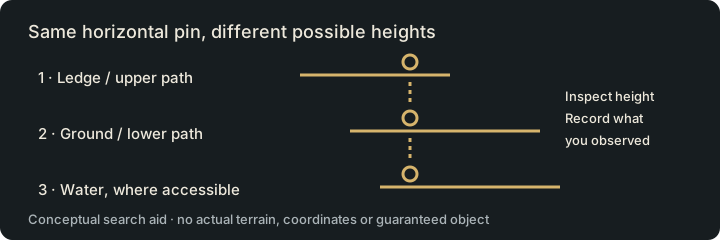
- Check the target from an accessible approach; inspect height and your in-game collectible state.
- Return to your chosen landmark or resume your tracked story. Leave a named next step.
Nameless Cemetery
Choose a small search area you can distinguish by fixed landmarks. Record an unresolved height instead of repeating the same approach.
- Open the region reference and choose your currently accessible start landmark.
- Select a small set of feather targets, or one cube candidate cluster. Keep the target types separate.
- Check the target from an accessible approach; inspect height and your in-game collectible state.
- Return to your chosen landmark or resume your tracked story. Leave a named next step.
Moslan Forest
Use a recognizable edge or landmark to bound the session. Inspect accessible layers one at a time rather than trusting a horizontal pin.
- Open the region reference and choose your currently accessible start landmark.
- Select a small set of feather targets, or one cube candidate cluster. Keep the target types separate.
- Check the target from an accessible approach; inspect height and your in-game collectible state.
- Return to your chosen landmark or resume your tracked story. Leave a named next step.
If the route is blocked
| What blocks you | What to do next |
|---|---|
| Cannot reach a marker | Check height, story access and an actual approach in the client. Save the blocked landmark instead of guessing a jump. |
| Required travel point locked | Choose a reachable session or follow your story. The external map does not unlock travel. |
| Only completed feathers remain | Review collected/uncollected filters in game and compare your own saved records. |
| Cube candidate is empty | Record Searched for this visit. A previous marker or opening does not establish current presence. |
Leave a useful return point
Write the map, region, target type, last identifiable landmark and the next approach to check. Do not use “finish the whole map” as the only next action.
Save my Altgard exploration targets → · Review an exploration routine task → · Cube search procedure · Feather filters and height
Sources and route scope
Sources checked November 1, 2026: Aion2.gg map index and its data methodology. The map pages identify EU/NA client 2.0.9.0 / extraction October 28; linked database records may show an older snapshot. These are community client-data references, not our live-client test. Match the region, current client and place names before traveling. External providers control their maps and saved marks; their marks do not synchronize with Aion2Pilot.
The named-region references above establish place names and provide map context. Session boundaries, return notes and stop rules are our editorial workflow. No continuous route, waypoint coordinates, exact walk time, total collectible count, reward-per-hour or live-tested completion is claimed. All three sessions remain useful as planning templates when a particular source marker is absent.